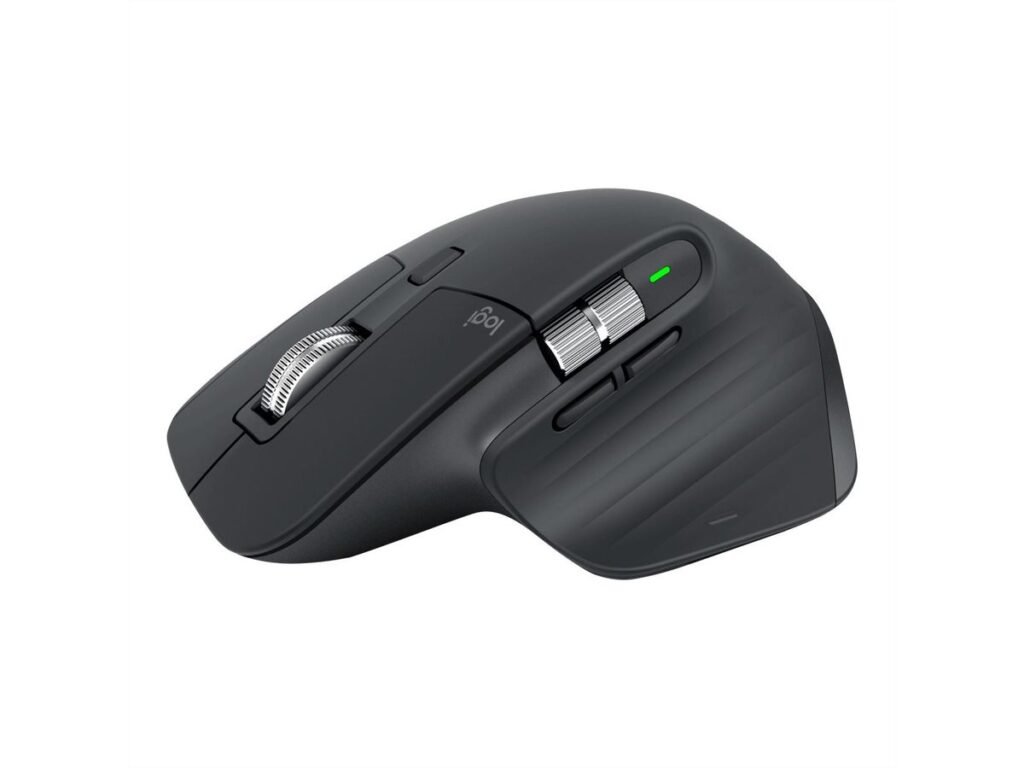
Logitech MX Master 3S — Wireless Performance Mouse, Black
Why we picked it: the default recommendation for serious work setups, with an 8K Darkfield sensor that even tracks on glass.
• 8K DPI Darkfield sensor tracks on any surface, even glass
• Quiet Click buttons with 90% less click noise
• MagSpeed electromagnetic scroll wheel at 1,000 lines/second
• Up to 70 days of battery; 1-minute charge = 3 hours of use
Check the latest price, availability, and options directly on Amazon.
As an Amazon Associate I earn from qualifying purchases.
Why It’s Trending
- The MX Master 3S remains an industry benchmark for ergonomic desk setups, hybrid workstations, and creative software workflows. Ongoing demand is fueled by its upgraded quiet click mechanisms and high-DPI tracking that modern multi-monitor arrangements require.
Key Features
- 8,000 DPI Darkfield optical sensor with track-on-glass capability
- MagSpeed electromagnetic scroll wheel with ratchet and free-spin modes
- Quiet Click technology reducing switch click noise by up to 90 percent
- Ergonomic right-handed sculpted silhouette with integrated thumb wheel and gesture button
- Dual wireless connectivity via Bluetooth Low Energy and Logi Bolt USB receiver
- Rechargeable battery offering up to 70 days of use per full USB-C charge
- Professionals, software developers, and digital creators looking for an ergonomic, quiet productivity mouse with dual-wheel scrolling and multi-device functionality.
- Left-handed individuals, users with smaller hands, and competitive gamers who require an ultra-lightweight mouse with high polling rates.
- MagSpeed scroll wheel enables fast and accurate scrolling through long documents and spreadsheets
- Quiet click switches deliver a tactile feel with minimal acoustic distraction in quiet office environments
- Dedicated thumb wheel and customizable buttons streamline horizontal scrolling and multi-app workflows
- Effortless multi-device switching and cross-computer file transfer with Logitech Flow
- Strictly right-handed ergonomic contour is unusable for left-handed users
- Heavier weight and standard 125 Hz polling rate make it unsuitable for fast-paced gaming
- Bulky profile can feel unwieldy for users with smaller hands or claw grip styles
Check the latest price, availability and options directly on Amazon.

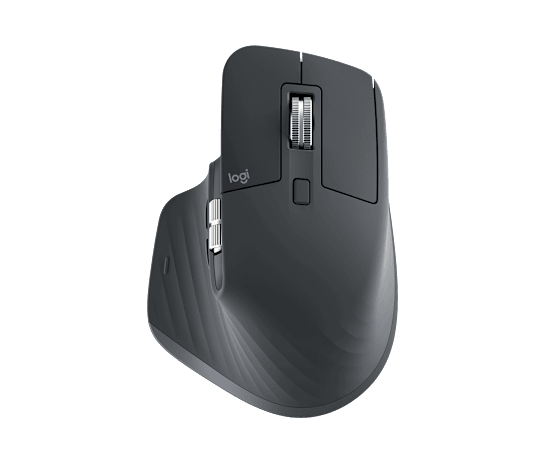
Logitech MX Master 3S Review: Features, Pros & Cons
This Logitech MX Master 3S review covers its key features, strengths, limitations, who it may suit, and what to consider before buying. Ask around any studio or home office and the Logitech MX Master 3S review verdict is nearly unanimous: it's the productivity mouse that everything else is compared to. The ergonomic shape, the electromagnetic scroll wheel, and quiet clicks make long workdays noticeably easier on the hand. Why we picked it: the default recommendation for serious work setups, with an 8K Darkfield sensor that even tracks on glass. • 8K DPI Darkfield sensor tracks on any surface, even glass • Quiet Click buttons with 90% less click noise • MagSpeed electromagnetic scroll wheel at 1,000 lines/second • Up to 70 days of battery; 1-minute charge = 3 hours of use Check the latest price, availability, and options directly on Amazon. As an Amazon Associate I earn from qualifying purchases.
What Is the Logitech MX Master 3S?
Ask around any studio or home office and the Logitech MX Master 3S review verdict is nearly unanimous: it's the productivity mouse that everything else is compared to. The ergonomic shape, the electromagnetic scroll wheel, and quiet clicks make long workdays noticeably easier on the hand. Why we picked it: the default recommendation for serious work setups, with an 8K Darkfield sensor that even tracks on glass. • 8K DPI Darkfield sensor tracks on any surface, even glass • Quiet Click buttons with 90% less click noise • MagSpeed electromagnetic scroll wheel at 1,000 lines/second • Up to 70 days of battery; 1-minute charge = 3 hours of use Check the latest price, availability, and options directly on Amazon. As an Amazon Associate I earn from qualifying purchases.
Key Features
- 8,000 DPI Darkfield optical sensor with track-on-glass capability
- MagSpeed electromagnetic scroll wheel with ratchet and free-spin modes
- Quiet Click technology reducing switch click noise by up to 90 percent
- Ergonomic right-handed sculpted silhouette with integrated thumb wheel and gesture button
- Dual wireless connectivity via Bluetooth Low Energy and Logi Bolt USB receiver
- Rechargeable battery offering up to 70 days of use per full USB-C charge
What We Like
- MagSpeed scroll wheel enables fast and accurate scrolling through long documents and spreadsheets
- Quiet click switches deliver a tactile feel with minimal acoustic distraction in quiet office environments
- Dedicated thumb wheel and customizable buttons streamline horizontal scrolling and multi-app workflows
- Effortless multi-device switching and cross-computer file transfer with Logitech Flow
Things to Consider
- Strictly right-handed ergonomic contour is unusable for left-handed users
- Heavier weight and standard 125 Hz polling rate make it unsuitable for fast-paced gaming
- Bulky profile can feel unwieldy for users with smaller hands or claw grip styles
Who Is It Best For?
Professionals, software developers, and digital creators looking for an ergonomic, quiet productivity mouse with dual-wheel scrolling and multi-device functionality.
Who Should Skip It?
Left-handed individuals, users with smaller hands, and competitive gamers who require an ultra-lightweight mouse with high polling rates.
Why Is the Logitech MX Master 3S Getting Attention?
The MX Master 3S remains an industry benchmark for ergonomic desk setups, hybrid workstations, and creative software workflows. Ongoing demand is fueled by its upgraded quiet click mechanisms and high-DPI tracking that modern multi-monitor arrangements require.
Similar Products to Consider
If you are comparing alternatives, these related RealPicks products may also be worth reviewing:
- Elgato Stream Deck MK.2 — Studio Controller with 15 Macro Keys (Black)
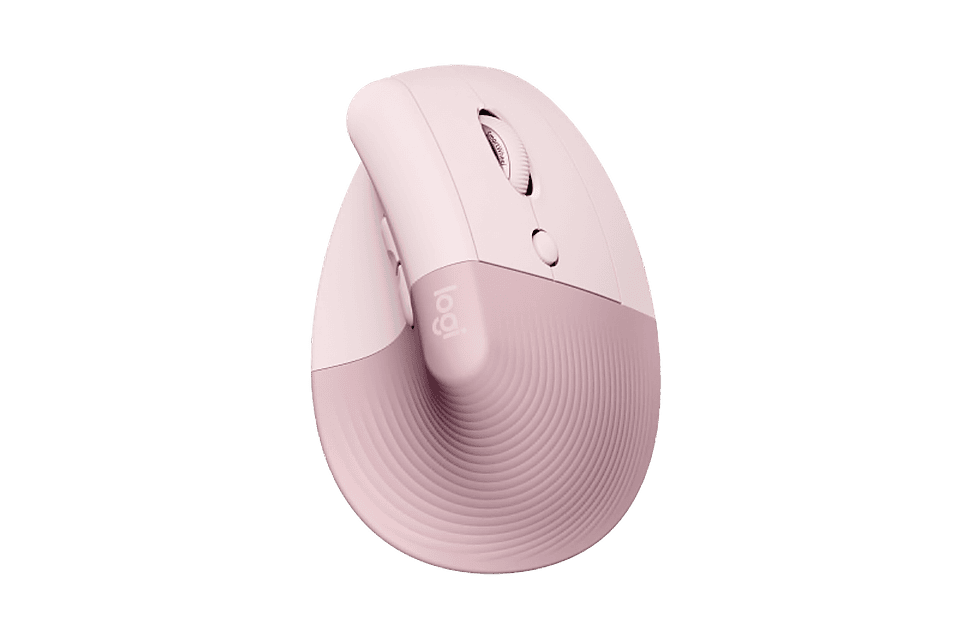
- Logitech Lift Vertical Ergonomic Mouse
- Keychron K8 Pro QMK/VIA Wireless Mechanical Keyboard