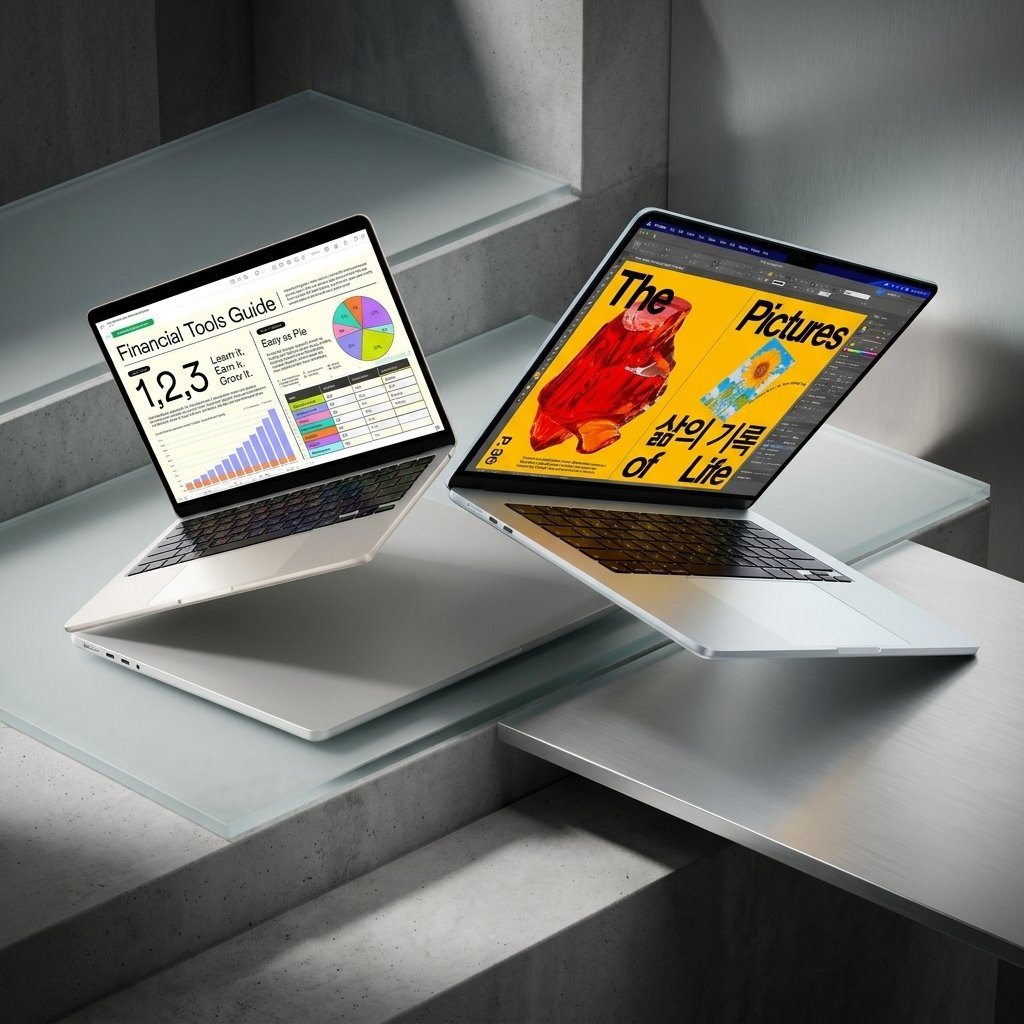
Every year, the same question comes up for laptop shoppers: is the MacBook Air still the safe default? The 2026 MacBook Air M5 keeps the formula that made the Air Apple’s best-selling laptop — a thin, silent, fanless design — and pairs it with Apple’s newest M5 chip, double the base storage, and faster wireless. So is the MacBook Air M5 worth it? For most buyers, the short answer is yes — but the upgrade math depends a lot on what you already own.
The dilemma is real. If you are buying your first Mac or replacing an older Intel or M1 machine, the M5 Air is an easy recommendation. If you already own an M4 Air, the decision is much less clear — the design is unchanged, and the gains are concentrated in a few specific areas. This article breaks down what the M5 Air does well, where it falls short, and who should buy it — and who should skip it.

Quick Verdict
The MacBook Air M5 is worth it for most buyers who want a light, silent laptop that handles everyday work, photo editing, and even light video editing without breaking a sweat. Its M5 chip, generous base memory and storage, and all-day battery make it the best general-purpose Mac Apple sells. The one main caveat: if you already own an M4 MacBook Air, or you regularly push a laptop through long, heavy renders, the M5 Air is not a meaningful step up — and a fan-cooled MacBook Pro would serve you better.
What Makes It Worth Considering?
A genuinely faster M5 chip
The M5 chip is the headline upgrade. It pairs a 10-core CPU with a GPU of up to 10 cores, each with its own Neural Accelerator, plus a 16-core Neural Engine and memory bandwidth of 153GB/s — about 28 percent more than the M4. Apple claims AI tasks run up to four times faster than on the M4, and independent testing backs up the speed: Tom’s Hardware measured roughly 4,168 points single-core and 17,067 multi-core in Geekbench 6. In everyday use that means snappier app launches, smoother multitasking, and Apple Intelligence features that run locally and quickly. Photo edits, large documents, and dozens of browser tabs are handled without drama.
Silent, feather-light design
The Air weighs just 2.7 pounds and measures 0.44 inch thick, and because it has no fan, it makes no noise at all — ever. There is no vent, no whir under load, nothing to distract you in a quiet room or a library. The aluminum unibody still feels premium, and at this weight it disappears into a bag, which is exactly what a travel and campus laptop should do.
Battery life that lasts a full workday — and then some
Apple rates the 13-inch model at up to 18 hours of video streaming and 15 hours of web browsing. Independent tests land close to that: Tom’s Hardware recorded 15 hours and 28 minutes in a mixed web-browsing test, and TechRadar measured around 15.5 hours — roughly an hour and a half more than the M4 Air managed in the same test. For most people that means leaving the charger at home without thinking twice.
A base configuration without the old compromises
For the first time, the base MacBook Air ships with 16GB of unified memory and a 512GB SSD — double the storage of the previous base model — and Apple says the new SSD reads and writes about twice as fast. You can configure up to 32GB of memory and up to 4TB of storage if you need it. The old trap of buying a base model that runs out of space after a couple of years is largely gone.
A better screen and camera for everyday use
The 13.6-inch Liquid Retina display (2560 by 1664, 500 nits) is bright and sharp for work, reading, and streaming, and the 12MP Center Stage camera with Desk View makes video calls noticeably better than the old webcam. The Air can also drive two external displays alongside its own screen, so it works as a proper desk machine, not just a portable one.
Modern connectivity
Wi-Fi 7 and Bluetooth 6 keep wireless fast and current, and the port layout — two Thunderbolt 4 ports, MagSafe 3 charging, and a headphone jack — covers the essentials. MagSafe in particular is a small quality-of-life win: a tripped cable pops off instead of dragging the laptop off the table.
Once the laptop is sorted, the rest of the desk setup matters too: our guides on how to choose a wireless mouse and how to choose a mechanical keyboard can help you complete a comfortable laptop setup.
What Could Be Better?
The display is still 60Hz. The panel is a 60Hz IPS screen with a notch — no ProMotion, no mini-LED. It is perfectly fine for most work, but at this level the screen feels a generation behind, and anyone coming from a high-refresh display will notice it.
It throttles under sustained heavy loads. The fanless design is silent, but it has a cost: push the chip hard for a long time and it slows itself down to stay cool. Notebookcheck found processor power dropping to about 13W within minutes of a sustained multi-core run, with scores falling roughly 14 percent after 30 minutes. Short bursts are fast; long exports and renders are not the Air’s strength.
Only two USB-C ports. Both ports sit on the left side, and two is not many once a monitor, a drive, and a charger are involved. Most owners will end up living on a hub or dock.

Nothing is upgradable later. Memory and storage are soldered to the board, so the configuration you buy is the configuration you keep. Choose carefully at purchase — especially storage, since 512GB fills faster than most people expect.
A weak upgrade case from the M4 Air. Same design, same display, same ports, same battery size. Reviewers including TechRadar are blunt about it: M4 owners do not need to upgrade. The M5 Air is a refinement for new buyers, not a reason for recent owners to spend again.
Who It’s For / Who Should Skip It
The MacBook Air M5 is a great fit for students, writers, office workers, and travelers who want a light, silent machine that simply works; for first-time Mac buyers; for anyone upgrading from an M1, an Intel Mac, or an aging Windows laptop; and for photo editors and casual video editors who work in bursts rather than marathon renders.
Skip it if you already own an M4 MacBook Air — the gains are too small to justify the spend — or if your work means sustained video rendering, 3D work, or heavy compilation, where a fan-cooled MacBook Pro earns its keep. Also skip it if you need many ports, a touchscreen, or a high-refresh display; the Air offers none of those.
MacBook Air M5 vs. iPad 11-inch: Which Should You Buy?
If your work is mostly browsing, streaming, notes, and light apps, the Apple iPad 11-inch is a lighter and more portable alternative that covers the basics well. But it is still a tablet: real keyboard work, desktop apps, file management, and serious multitasking are where a laptop pulls ahead. If the computer is your main work tool, the MacBook Air M5 is the proper choice; if it is a second device for the couch and the bag, the iPad makes a strong case for itself.
Frequently Asked Questions
Is the MacBook Air M5 worth it over the M4?
For new buyers, yes — the doubled base storage, faster chip, and Wi-Fi 7 make it the better buy at a similar level. For current M4 owners, reviewers say no: the design, display, ports, and battery are unchanged, and the performance gap is small in everyday use.
Can the MacBook Air M5 handle video editing?
Yes, for most people. It edits 4K timelines smoothly in bursts, and reviewers have cut 4K and even higher-resolution footage on it. The limit is sustained work: long exports throttle because there is no fan, so heavy Premiere Pro users and professionals should consider a MacBook Pro or a higher memory configuration.
Can you upgrade the RAM or storage later?
No. Both are soldered, so they cannot be changed after purchase. Buy the memory and storage you expect to need for the life of the machine — 512GB is a sensible minimum, and 24GB of memory is worth considering if you keep many apps open.
How long does the battery really last?
Apple claims up to 18 hours of video streaming and 15 hours of web browsing. Independent tests recorded around 15 to 15.5 hours of web browsing, which is close to the claim and comfortably a full workday with charge to spare.
As an Amazon Associate I earn from qualifying purchases.