
Wireless earbuds have become the default way most people listen — on the commute, at the gym, on calls, and everywhere in between. But the wall of options is overwhelming: every pair promises great sound, great noise cancelling, and all-day battery, and the spec sheets all start to look the same. This guide breaks down how to choose wireless earbuds that actually fit your ears, your phone, and your daily routine — so you can buy once and be happy.
Quick answer: Start with fit: if earbuds hurt or fall out, nothing else matters — try every ear tip size in the box and buy from a store with a good return policy. Then match the rest to your life: strong ANC and transparency mode for commuters, an IPX4-or-better rating for workouts, at least 6 hours per charge (24+ with the case) for heavy use, and the right codec for your phone (AAC for iPhone, LDAC or aptX for Android). Multipoint pairing is the most underrated feature if you switch between a laptop and a phone.
Related: How to Choose the Right Headphones — our buying guide for personal audio, including over-ear options.
How to Choose Wireless Earbuds for Fit and Comfort
Fit is the single biggest predictor of whether you will love or abandon a pair of earbuds. A poor seal doesn’t just feel bad — it ruins bass response and makes noise cancelling nearly useless, since ANC can’t cancel what leaks past the tip.
Ear tip sizes and materials
Most earbuds ship with three or four silicone tip sizes — try all of them, not just the pre-installed medium. The right tip seals gently without pressure: you should hear bass deepen and outside noise drop the moment the seal is right. Memory-foam tips (sold separately for many models) seal even better and suit small or unusual ear canals, though they wear out faster than silicone.
Stem vs. stemless designs
Stem-style buds hang the battery and microphones below the ear, which balances weight and usually improves call quality. Compact stemless buds sit flush in the ear and stay put better under a helmet or while sleeping on your side. Neither is universally better — it comes down to your ear shape and how you wear them.
The 30-minute wear test
- Wear a new pair for at least 30 minutes before deciding — pressure points show up late, not immediately.
- Do the head-shake test: nod, shake, and jog in place. If a bud migrates, try a different tip size before giving up.
- Run the companion app’s fit test if one exists — it plays a tone and measures seal leakage.
- Buy from a retailer with a solid return policy; ears vary too much to judge from reviews alone.
How to Choose Wireless Earbuds for Sound Quality
Once fit is sorted, sound quality is mostly about tuning — how the manufacturer balances bass, mids, and treble — rather than any single spec number.
Drivers and tuning
Bigger drivers can move more air, but tuning matters far more than millimeters. Two earbuds with the same driver size can sound completely different. If you can’t audition a pair, look for reviews with actual frequency-response measurements rather than adjectives.
What an EQ can (and can’t) fix
A good companion app with custom EQ can rescue a mediocre factory tuning — boosting weak bass or taming harsh treble. But EQ can’t fix distortion at high volume or a fundamentally muddy driver, so treat it as fine-tuning, not a rescue plan.
- Signature: decide whether you want neutral (podcasts, classical), V-shaped (pop, EDM), or warm (jazz, acoustic) tuning.
- App support: custom EQ, firmware updates, and control customization add real long-term value.
- Call quality: check reviews for microphone performance in wind and street noise if you take calls outdoors.
Noise Cancellation and Transparency Mode
Active noise cancelling (ANC) uses microphones to erase steady background hum — airplane engines, air conditioners, train rumble. It’s the feature that most transforms commuting and office life, but not all ANC is equal.
How much ANC do you need?
Commuters and frequent flyers should prioritize the strongest ANC they can afford, with adjustable levels for different environments. If you mostly listen at home or in quiet offices, mid-tier ANC is plenty — and you’ll get better sound per dollar by not paying for flagship cancellation you won’t use.
Transparency mode matters too
Transparency (ambient) mode pipes the outside world back in so you can hear announcements, traffic, or a conversation without removing a bud. The best implementations sound natural rather than hissy, and some pairs switch automatically when you start talking.
- Adjustable ANC: multiple levels beat a simple on/off switch.
- Wind handling: check reviews — wind noise can overwhelm cheap ANC on a bike or a breezy platform.
- Adaptive ANC: automatically adjusts cancellation to your surroundings; convenient, occasionally imperfect.
Battery Life, Charging, and Water Resistance
Battery claims are measured in ideal conditions, so read them as relative comparisons rather than promises.
Battery life: buds vs. case
Manufacturers quote two numbers: per-charge bud life (typically 5–10 hours) and total life with the charging case (usually 20–36 hours). ANC on shortens both. For heavy daily use, aim for at least 6 hours per charge so a long workday doesn’t strand you.
Charging speed and wireless charging
Quick-charge features (around 10 minutes in the case for an hour or more of playback) matter more day-to-day than total capacity. USB-C is the modern standard; wireless charging for the case is a genuine convenience if you already charge your phone that way.
Water resistance for workouts
- IPX4: sweat- and splash-proof — the minimum for exercise.
- IPX5/IP55: handles heavier rain and dust; good for outdoor training.
- IPX7/IP57: survives submersion — overkill for most, reassuring for runners in downpours.
- No rating means keep them away from the gym bag’s sweaty depths.
Codecs, Bluetooth Version, and Smart Features
The wireless link between your phone and your earbuds decides how much audio detail survives the trip — and how smoothly everything connects.
Codecs: SBC, AAC, aptX, and LDAC
Every pair supports the basic SBC codec; beyond that it splits by ecosystem. iPhones use AAC, which sounds perfectly good on well-tuned buds. Android phones can use higher-bandwidth LDAC or aptX variants for more detail — but only if the earbuds support them too, so match codec support to your phone.
Bluetooth version, LE Audio, and Auracast
Bluetooth 5.3 and newer bring more stable connections, better power efficiency, and multipoint pairing. LE Audio with the LC3 codec promises better sound at lower power, and Auracast will eventually let one source broadcast to many listeners — nice future-proofing, not yet a reason to choose.
Smart features worth having
- Multipoint pairing: stay connected to your laptop and phone at once — the single most useful smart feature.
- Wear detection: auto-pauses when you remove a bud; small, but you’ll miss it when it’s gone.
- Find-my: locate a lost bud or case from your phone.
- Voice assistant: handy if you actually use one; ignore it if you don’t.
If you also want bigger sound at home, see How to Choose the Right Bluetooth Speaker — our guide to room-filling portable audio.
Our Picks
These are real products reviewed on this site — tap through for the full breakdown of each one:
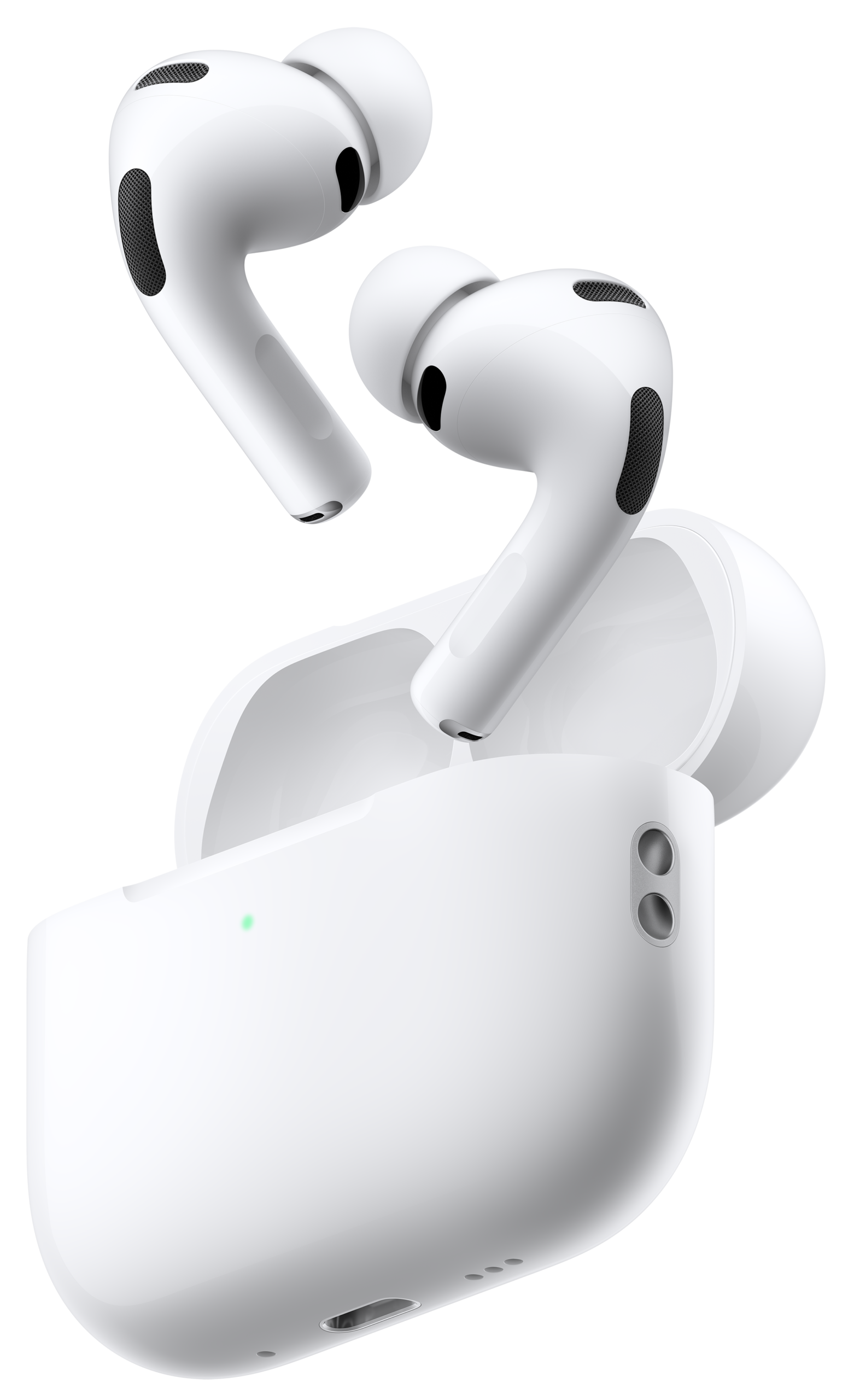
- Apple AirPods Pro 3 — the best all-around pick: flagship ANC, live translation, and heart-rate sensing in a comfortable stem design.
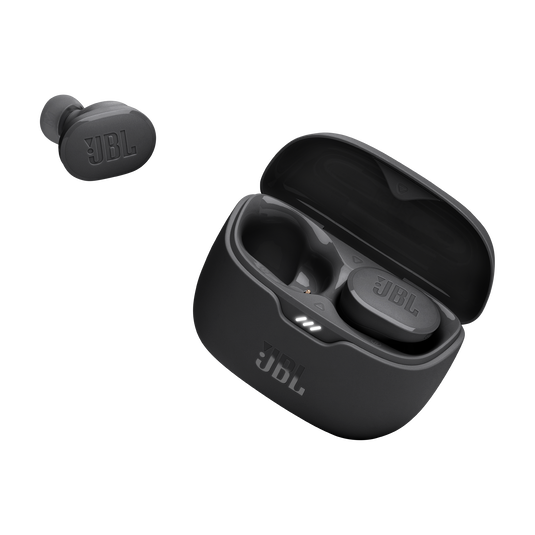
- JBL Tune Buds — the budget pick: true wireless noise cancelling earbuds that keep the essentials and skip the flagship price.
- Google Pixel Buds Pro 2 — the Android pick: strong ANC and deep Pixel integration in a compact, comfortable bud.
Frequently Asked Questions
Do wireless earbuds stay in while running?
The right pair does. Fit depends on tip size and bud shape more than brand — use the head-shake test with each tip size, and look for an IPX4-or-better rating plus a secure-seal design if you run often.
Are expensive wireless earbuds worth it?
Sometimes. You pay for stronger ANC, better microphones, premium codecs, and smarter features. But the mid-range has improved enormously — a well-fitting $100–$150 pair beats a poorly fitting flagship every time.
How long do wireless earbuds last?
Expect 2–4 years of regular use. The small lithium batteries in the buds degrade first, and you can’t replace them in most models. Good habits — avoiding full discharges and extreme heat — stretch their life.
Can I use wireless earbuds with a laptop?
Yes — any Bluetooth laptop works, and multipoint pairing lets the buds stay connected to your phone and laptop simultaneously, switching automatically when a call comes in.
Do I need LDAC or aptX?
Only if your phone supports them (most Android flagships do; iPhones don’t). On a well-tuned pair, AAC already sounds excellent — codecs matter less than fit and tuning.
As an Amazon Associate I earn from qualifying purchases.