If you spend hours a day at a desk, your chair is the most important piece of home office equipment you own — more important than your monitor, your keyboard, or your desk itself. A bad chair quietly wrecks your posture, your focus, and your back. Learning how to choose an office chair that actually fits your body is therefore one of the highest-value upgrades you can make to your workspace.
Quick answer: choose an office chair with adjustable seat height, adjustable lumbar support, and adjustable armrests — these three adjustments matter more than padding or looks. Make sure the seat depth leaves a couple of inches between the seat edge and the back of your knees, and pick breathable mesh if your workspace runs warm. If you sit for more than four hours a day, prioritize fit and adjustability over style every time.
How to Choose an Office Chair That Fits Your Body
A chair that does not fit your body will fight you all day, no matter how expensive it is. Fit comes down to three measurements: seat height, seat depth, and seat width.
Seat height
Your feet should rest flat on the floor with your knees at roughly a 90 to 100 degree angle. Most good chairs adjust across a range of about 15 to 21 inches (38 to 51 cm), which covers most adults. If you are shorter or taller than average, check the chair’s stated height range before buying — a chair that cannot go low enough leaves your legs dangling, and one that cannot go high enough leaves your knees above your hips.
Seat depth
Seat depth is the most overlooked measurement. When you sit all the way back against the backrest, there should be about two to four inches — roughly two to three fingers — of space between the front edge of the seat and the back of your knees. If the seat is too deep, it presses into the back of your knees and cuts off circulation. If it is too shallow, your thighs lack support. A sliding seat pan that adjusts depth by at least two inches solves this for most people.
Seat width
The seat should be at least 18 inches wide, and the armrests should not squeeze your hips or force your arms outward. Wider users should also check the distance between the armrests, not just the seat itself.
A 60-second fit test
Sit fully back, feet flat, and check three things: knees at 90 to 100 degrees, a small gap behind your knees, and your lower back touching the backrest without effort. If any of the three fails, the chair does not fit you — no amount of cushion will fix it.
Lumbar Support and Backrest: The Back-Pain Test
Your spine has a natural S-curve, and a good backrest supports it instead of flattening it. This is where most cheap chairs fail.
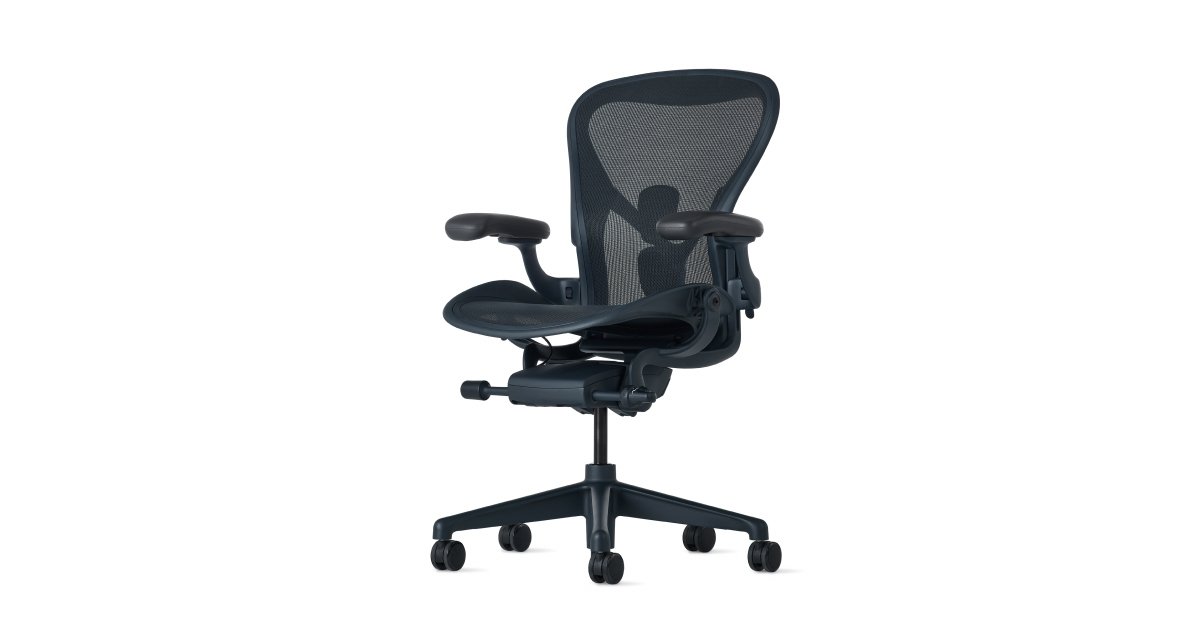
- Look for lumbar support that adjusts in height, and ideally in depth too, so it meets the curve of your lower back rather than sitting above or below it.
- The backrest should reach at least to your shoulder blades, with a shape that curves inward at the lumbar region and leaves room for your shoulders to move freely.
- Recline matters as much as upright support. A backrest that reclines to roughly 100 to 130 degrees with tension control lets you shift position through the day, which reduces stiffness and keeps circulation moving. Locked-upright-all-day sitting is a posture trap.
- Avoid chairs whose lumbar pad is just a thick fixed bulge. Support that cannot move to match your back will push in the wrong place for half the people who sit in it.
Armrests, Recline, and Movement
Armrests exist to take weight off your shoulders and neck, but only if they land in the right place.
- Height-adjustable armrests are the minimum. Your elbows should rest at 90 to 110 degrees with your shoulders fully relaxed, not hunched upward.
- Armrests that also adjust in width, depth, and angle (often called 3D or 4D armrests) help if you switch between typing, reading, and mouse work, or if you share the chair with someone else.
- Fixed armrests can be a deal-breaker: if they sit higher than your desk surface, the chair cannot slide under the desk, and if they sit too low, they are useless.
- A five-star swivel base with smooth casters lets you reach around your desk without twisting your spine. Match the casters to your floor — soft casters for hard floors, harder casters for carpet — and consider lockable wheels if your chair tends to roll away.
Mesh vs Cushion vs Leather: Picking a Material
The material decides how the chair feels after hour four, not minute four.
- Mesh backs are the most popular choice for warm rooms and long sessions because air flows through them. They stay cool and are easy to wipe clean, but they offer less plush softness and can feel firm at first.
- Foam or upholstered seats feel softer and warmer, which suits cooler rooms and people who prefer a cushioned sit. Look for medium-firm, high-density foam at least an inch or two thick — soft cushions that bottom out quickly cause pelvic tilt and backache.
- Leather and faux leather look premium and wipe clean easily, but they trap heat and usually cost more. They suit executive-style spaces better than sweaty home offices.
- There is no universally best material. Match it to your climate, your room, and how long you sit: mesh for heat, cushion for softness, leather for looks.
How to Choose an Office Chair for Your Workspace
Fit and features only matter if the chair works in your actual room.
- Measure your desk clearance first. Armrests must pass under the desk or sit level with it, and you need enough space behind the chair for its full recline.
- Check the weight capacity and the chair’s overall dimensions against your body. A chair with great reviews can still be the wrong size for you.
- Think about who else uses the chair. A shared household chair earns its keep through more adjustments, not fewer, because every user needs a different setup.
- Check the warranty and return policy before you buy. A chair is a long-term purchase — quality chairs last seven to ten years — so a short warranty or a no-return policy is a warning sign. A trial period of at least a few weeks is ideal, because pressure points and support problems often show up only after real work sessions, not a five-minute sit.
Once your chair fits, complete your desk setup with our related guides: How to Choose the Right Mechanical Keyboard and How to Choose the Right Wireless Mouse.
Our Picks
- Herman Miller Aeron Chair — A breathable mesh ergonomic desk chair with adjustable support for long workdays.
- Sihoo M18 Ergonomic Office Chair — A mesh-back ergonomic desk chair with a headrest for comfortable home office use.
Frequently Asked Questions
How long should an office chair last?
A well-built chair lasts roughly seven to ten years. Replace it when adjustments start slipping, the cushion collapses, or the frame creaks — not on a fixed schedule.
Is a mesh chair better than a cushioned chair?
Neither is objectively better. Mesh wins on airflow and easy cleaning, which matters in warm rooms. Cushion wins on softness and warmth. Choose based on your climate and how long you sit each day.
Do I really need adjustable armrests?
If you type for hours, yes. Armrests at the right height keep your shoulders relaxed and reduce neck strain. Fixed armrests often sit at the wrong height or block the chair from sliding under your desk.
What seat height do I need?
You need a height that lets your feet rest flat on the floor with your knees at 90 to 100 degrees. Most adjustable chairs cover about 15 to 21 inches, which suits most adults — but always check the stated range if you are shorter or taller than average.
As an Amazon Associate I earn from qualifying purchases.