
If your coffee is always cold by the time you finish it, learning how to choose a smart mug can change your mornings. A smart mug is a battery-powered, temperature-controlled cup that holds your drink at the exact temperature you set, so there are no microwave trips and no reheated taste. But not every smart mug fits every drinker: battery life, temperature range, size, and care requirements vary a lot between models. This guide walks through what actually matters, so you buy the right one the first time.
The best smart mug for most people is one that holds your preferred drinking temperature for at least as long as you take to finish a cup, with controls you will actually use. App-controlled models like the Ember Mug 2 offer precise one-degree adjustments between 120°F and 145°F, while preset models with three heat levels suit drinkers who want simplicity. Match the battery life to where you drink: a desk coaster covers all-day use, but off-coaster runtime matters if you roam around the house.
How to Choose a Smart Mug: Start With Your Routine
Before comparing specs, think about how you actually drink. A smart mug is a small luxury that only pays off if it matches your habits, and the right answer depends on where and how slowly you sip.

- Desk workers: If your mug rarely leaves your desk, a coaster-based model is ideal. The mug stays warm all day on its charging coaster, and battery life barely matters.
- Slow sippers: If a single cup stretches across an hour of reading or working, you need a mug whose off-coaster runtime outlasts your cup. This is the use case smart mugs are made for.
- Commuters and roamers: If you carry your mug from room to room or out to the car, check the battery rating and whether the mug fits a standard car cup holder. Some smart mugs are desk-only by design.
- Tea drinkers: Different teas taste best at different temperatures, so precise control matters more than it does for black coffee. Green tea, for example, is usually enjoyed cooler than black tea.
One more habit to be honest about: a smart mug maintains temperature, it does not reheat. You must pour your drink in hot. If you regularly forget a mug for hours and come back to a cold cup, no smart mug will save it — it can only hold the heat you start with.
Temperature Range and Control: Precision vs. Presets
Temperature control is the feature that separates a smart mug from an insulated tumbler, and it comes in two styles.
App-controlled precision: The Ember Mug 2 lets you set any temperature between 120°F and 145°F (50°C to 62.5°C) in one-degree steps through its app, and it holds that temperature within about half a degree. Without a phone connected, it defaults to 135°F (57°C) and remembers your last setting. That precision is genuinely useful if you rotate between drinks: black coffee around 130–135°F, green tea a little cooler, and milky drinks somewhere in between.
Preset simplicity: Simpler models skip the app and offer three fixed heat levels, often around 130°F, 140°F, and 150°F, selected with a button on the mug. There is nothing to pair, no account to create, and no app to open. If you drink the same beverage at the same temperature every day, presets are all you need.
Two limits apply to every smart mug. First, the range has a ceiling: the Ember Mug 2 cannot be set above 145°F, so if you like your coffee piping hot, it will feel too cool. Second, a smart mug cannot cool a drink down. Pour in a drink hotter than your set temperature and you wait for it to fall to the target, just like a normal mug.
When you compare models, ask three questions: What is the temperature range? Can I set an exact temperature, or only pick from presets? And do I need a phone app to change it, or can I do it on the mug itself?
Battery Life vs. Coaster Life: Where Will You Drink?
Battery life is the most misunderstood smart mug spec, because the headline number depends on how you use the mug.
The Ember Mug 2 is rated for up to 1.5 hours off its charging coaster in the 10 oz size, and up to 80 minutes in the 14 oz size at a 135°F setting. That sounds short, but it is a full slow-drinking session for most people, and on the coaster the mug stays warm all day. Other models trade precision for endurance: some preset mugs advertise several hours off the coaster, especially with a lid on.
What affects real runtime:
- Set temperature: a higher target drains the battery faster.
- Pour temperature: pouring in a drink at least 165°F helps the mug hold its target with less work.
- Room temperature: a cold room or a drafty windowsill shortens runtime.
- Lid use: a lid slows heat loss and stretches battery life noticeably.
- How full the mug is: more liquid holds heat longer than a nearly empty mug.
Also look at how the mug charges. Most smart mugs sit on a charging coaster with spring-loaded contact pins, and the coaster is the part most likely to wear out or lose connection over time. Treat it gently, keep the contacts clean, and make sure the coaster has a permanent spot on your desk. If your routine keeps you away from a desk for hours, favor a model with the longest off-coaster runtime, or consider a travel-style smart mug built for longer trips.
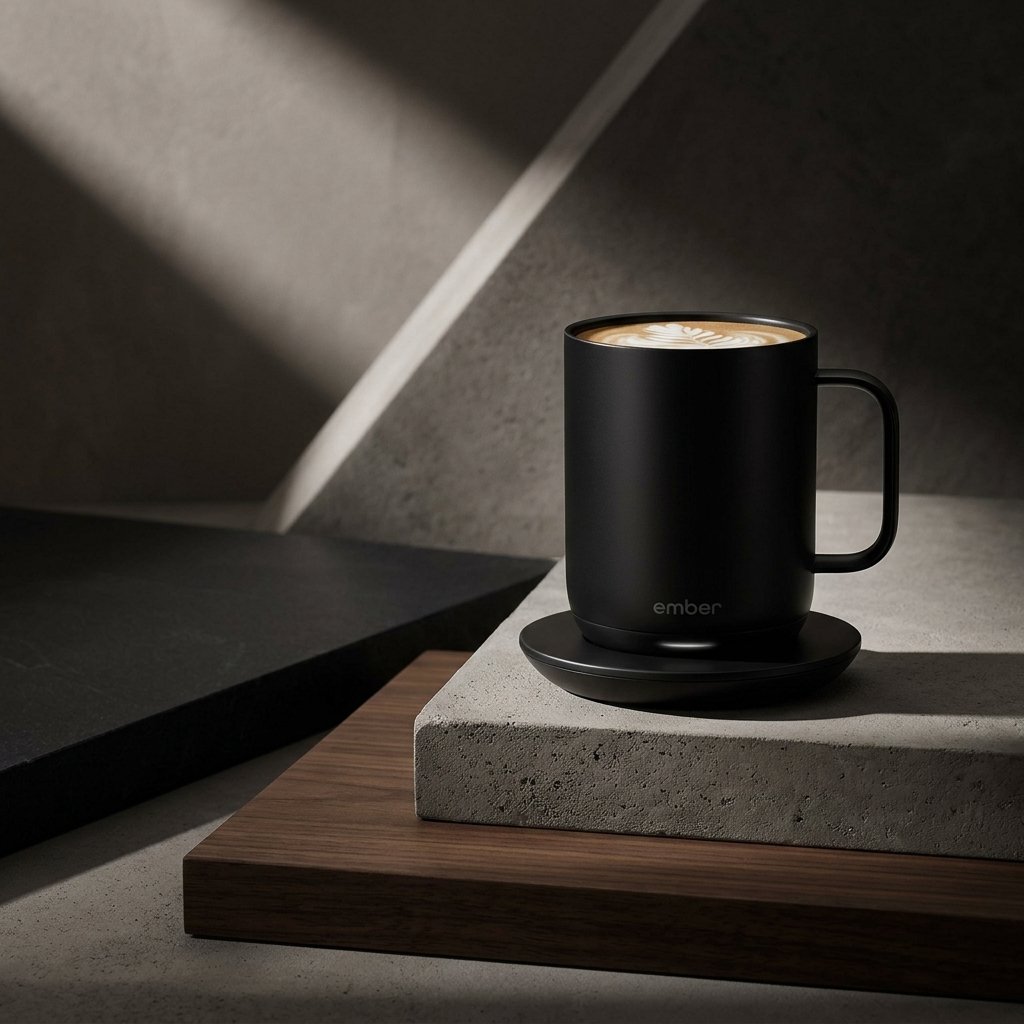
Size, Materials, and Everyday Care
Smart mugs come in small capacities, so size choice matters more than it looks.
- 10 oz: A standard desk coffee. Lighter in the hand, longer battery life, and easier to finish before the heat runs out. Best if you refill often or drink smaller cups.
- 14 oz: A generous cup for long sessions, but with a shorter off-coaster runtime on the Ember Mug 2. Best if you dislike refilling and mostly drink on the coaster.
- 12 oz travel mugs: A separate category with a sealed lid and a taller body made for car cup holders. They trade the open-mug experience for portability.
Materials affect taste and durability. The Ember Mug 2 uses stainless steel with a ceramic-reinforced coating on the inside, which avoids the metallic taste some bare steel mugs develop with acidic coffee. Cheaper models may use standard stainless steel, which works fine for most drinks but can pick up flavors over time.
Care is the deal-breaker many buyers miss: most smart mugs are hand wash only. The Ember Mug 2 is hand wash only and must never go in the dishwasher or the microwave, though it is submersible up to one meter of water. If you rely on a dishwasher, a smart mug will add a daily chore to your routine, so be sure the trade-off is worth it. Check the warranty too — Ember includes a one-year limited warranty — and confirm that replacement coasters and lids are sold separately before you buy.
How to Choose a Smart Mug on a Budget
Smart mugs are a premium category, and the extra money mostly buys precision, app features, and brand support rather than basic warmth. Here is how to think about the tiers.
- Premium app-controlled mugs: Precise temperature control, presets for different drinks, notifications when your drink reaches temperature, and the best build quality. Worth it if you drink slowly every day and care about exact temperature.
- Mid-range preset mugs: Three heat levels, on-mug controls, and often longer battery life. Worth it if you want the core benefit — a drink that stays warm — without paying for an app you will never open.
- Budget heated mugs: Some inexpensive mugs are really just cup warmers or USB-powered coasters, not self-heating mugs with an internal battery. Read the description carefully: if it only works while plugged in, it is not a smart mug.
Before you spend, consider the honest alternative: a premium insulated tumbler. A good insulated bottle keeps coffee hot for hours with no charging, no app, and no hand-wash-only rule. It cannot hold an exact temperature, and your last sip will always be cooler than your first, but for commuters and anyone who hates extra chores, it is often the smarter buy. If you brew at home and want to get the most from your coffee, our guide to choosing a coffee maker pairs well with this one, and our insulated tumbler guide covers the passive option in detail.
Our Picks
- Ember Temperature Control Smart Mug 2, 10 oz (Black) — Precise app-controlled temperature from 120°F to 145°F, up to 1.5 hours of warmth off its charging coaster, and all-day warmth on the coaster. The reference smart mug for slow sippers at a desk.
- Owala FreeSip Insulated Stainless Steel Water Bottle, 32 oz — The non-electric alternative. If charging, hand-washing, and a 145°F ceiling sound like too much fuss, this insulated bottle keeps drinks hot for hours with zero maintenance.
Frequently Asked Questions
Do smart mugs reheat cold coffee?
No. A smart mug maintains the temperature of a hot drink you pour in; it cannot reheat a drink that has already gone cold. Pour your coffee or tea in hot, at least 165°F, for the best results.
How long does a smart mug stay warm away from its coaster?
It depends on the model and size. The Ember Mug 2 lasts up to 1.5 hours in the 10 oz size and up to 80 minutes in the 14 oz size at a 135°F setting. Preset models with lids can last longer, and every model lasts all day when it stays on its charging coaster.
Can you put a smart mug in the dishwasher?
Almost always no. The Ember Mug 2 is hand wash only, and most smart mugs carry the same rule because of their electronics and battery. Putting one in the dishwasher can damage the heating element and void the warranty.
Is a smart mug worth it, or should I buy an insulated tumbler instead?
It depends on how you drink. A smart mug is worth it if you sip slowly at a desk and want every sip at the same temperature. An insulated tumbler is better if you commute, hate charging and hand-washing, or want your drink to stay hot for many hours without thinking about it.
As an Amazon Associate I earn from qualifying purchases.