If you are wondering whether the Nintendo Switch 2 is worth it, you are asking the right question at the right time. Nintendo’s follow-up to one of the best-selling consoles ever keeps the hybrid idea that made the original so popular — play on the TV, then pick the same console up and keep playing handheld — but upgrades almost every part of it. A bigger, sharper screen, much faster hardware, and redesigned controllers make it feel like a genuine new generation rather than a small refresh.
The dilemma is real, though. If you already own a Switch, especially the OLED model, the upgrade is less obvious. If you are buying your first Nintendo console, or your original Switch is showing its age, the decision looks very different. This article looks at what the Nintendo Switch 2 actually improves, where it falls short, and who should buy it now versus who can comfortably wait.
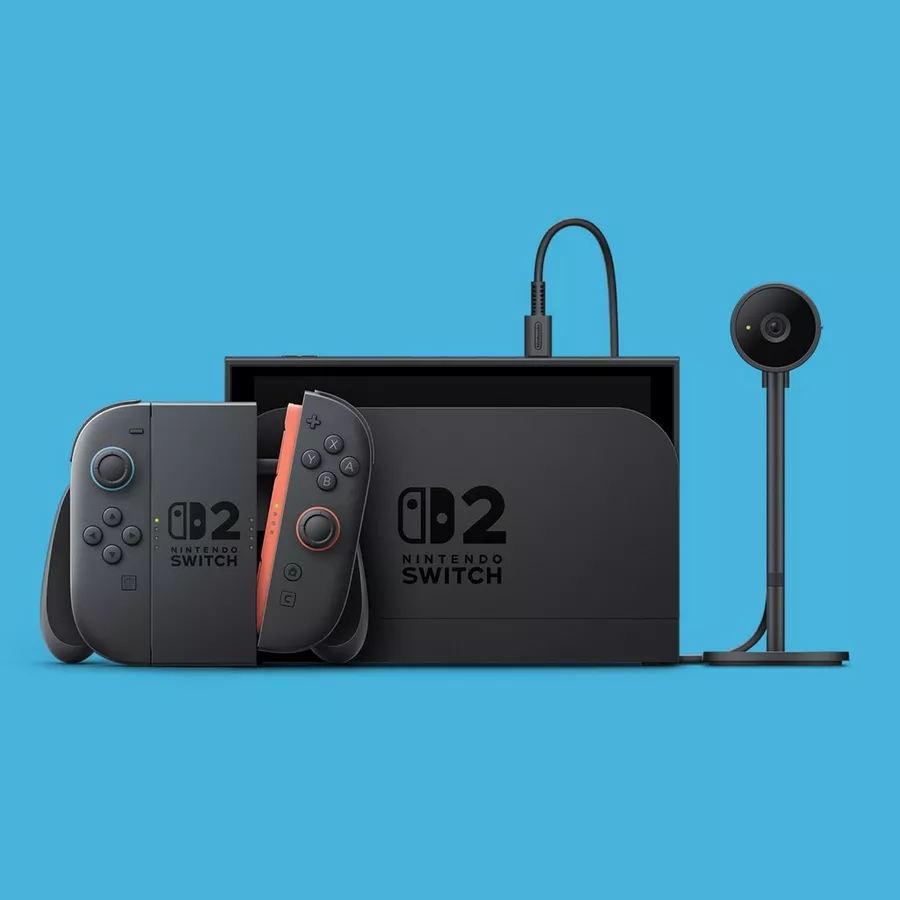
Quick Verdict
The Nintendo Switch 2 is worth it for first-time buyers, for owners of an aging original Switch, and for households that want one console for both TV and handheld play. It is a major step up in screen size and sharpness, performance, and storage, and it plays most of your existing Switch library. The main caveat is endurance: battery life is shorter than the Switch OLED’s, and the screen is a very good LCD rather than an OLED panel. If you mainly play handheld and already love your OLED Switch, waiting for more exclusive games is a reasonable call.
What Makes It Worth Considering?
A bigger, sharper handheld screen
The 7.9-inch display is the upgrade you notice first. It is larger than the original Switch’s 6.2-inch screen and the OLED model’s 7-inch screen, and it runs at full 1080p resolution with support for HDR10 and a refresh rate of up to 120Hz with variable refresh rate in handheld mode. Games look crisper in portable play, text is easier to read, and motion looks smoother in supported titles. It is an LCD panel, not OLED, so it does not deliver the same deep blacks — but the jump in size and resolution is hard to miss.
A real performance step up
A custom NVIDIA processor gives the Switch 2 far more headroom than the original. Loading times are noticeably quicker, games run more smoothly, and supported titles can output up to 4K at 60 frames per second when docked, with higher frame-rate modes at 1080p and 1440p. That docked output is a genuine change for TV play: the original Switch topped out at 1080p on a television.
Joy-Con 2 controllers that snap on magnetically
The new Joy-Con 2 controllers attach magnetically instead of sliding onto a rail, and the connection feels firm and secure. Each controller can also work as a mouse on a flat surface in supported games, which opens up new control options for strategy and shooter-style titles. A new C button opens GameChat, Nintendo’s built-in voice and video chat feature, and the console has a built-in microphone with noise cancellation, so chatting does not require a headset.
Backward compatibility and much more storage
The Switch 2 plays most original Switch games, so existing owners do not start from an empty library — an important point, since the new console’s own exclusive lineup is still growing. Internal storage jumps to 256GB, eight times the original model’s 32GB, which matters because modern games have large file sizes. Storage can be expanded with microSD Express cards up to 2TB, though note that older standard microSD cards cannot run Switch 2 games (they can only transfer screenshots and video).
A more refined hybrid design
Small design fixes add up: a wide, adjustable kickstand makes tabletop play genuinely practical, there are two USB-C ports for more flexible charging and accessories, and the dock includes a cooling fan and a wired Ethernet port. The console is a little larger and heavier than the original, but it still works as a true pick-up-and-play handheld.
What Could Be Better?
First, battery life. Nintendo rates the Switch 2 at approximately 2 to 6.5 hours depending on the game, compared with 4.5 to 9 hours for the Switch OLED. Demanding games push toward the low end, so long handheld sessions away from a charger need planning. Second, the screen trade-off: the LCD panel is sharp and bright, but it cannot match the OLED model’s contrast and deep blacks, and some fast-moving 2D games show more motion blur than on OLED. Third, storage expansion is an extra step and an extra purchase — you need microSD Express cards specifically, and your old microSD card will not run Switch 2 games. Finally, the exclusive game library is still growing, and the overall cost of games and accessories adds up, so buyers who are happy with their current Switch have little urgency to upgrade on day one.
Who It’s For
The Switch 2 is a strong fit if you are buying your first Nintendo console, upgrading from an original Switch, or want one device that covers both TV and handheld play for the whole household. It is also a good pick if you value backward compatibility, because your existing Switch library largely carries over, and if you want a console that will receive new Nintendo releases for years to come.
Who Should Skip It
Consider waiting if you already own a Switch OLED and are happy with it, especially if most of your play is handheld — you would trade a better screen and longer battery life for performance you may not need yet. Also wait if your must-play games are not Switch 2 exclusives yet, or if you would rather see a future hardware revision before committing. And if you want a dedicated virtual reality experience rather than a traditional console, that is a different category altogether — see the alternatives below.
Alternatives Worth a Look
If a traditional console is not quite what you want, the Meta Quest 3S is a standalone virtual reality headset that offers a completely different kind of gaming, without a TV or a separate console, and our guide on how to choose the right VR headset can help you compare headsets before deciding. If you want a general-purpose device for media, browsing, and casual games rather than dedicated Nintendo titles, the Apple iPad 11-inch is a versatile tablet option. Neither replaces the Switch 2 for Nintendo’s own games, though — if Mario, Zelda, and Nintendo exclusives are the draw, the Switch 2 is the only way to play them.
Frequently Asked Questions
Can I play my original Switch games on the Switch 2?
Most original Switch games work on the Switch 2, and many look and run better thanks to the faster hardware. A small number of titles and accessories have limitations, so it is worth checking compatibility for any game you play constantly before you switch over.
How long does the battery last?
Nintendo rates battery life at approximately 2 to 6.5 hours, depending on the game and conditions. Less demanding games last longer; demanding titles in handheld mode drain the battery fastest. For travel, a portable charger or a charging break is worth planning.
Can I use my old microSD card?
Only partly. A standard microSD card from your original Switch can transfer screenshots and video, but it cannot store or run Switch 2 games. For Switch 2 games you need a microSD Express card, sold separately, in capacities up to 2TB.
Is the Switch 2 good for TV play?
Yes. Docked, supported games can output up to 4K at 60 frames per second, or higher frame rates at 1080p and 1440p, with HDR10 support. The dock also adds a cooling fan and wired Ethernet, and the console still works in tabletop mode with the adjustable kickstand when the TV is busy.
As an Amazon Associate I earn from qualifying purchases.