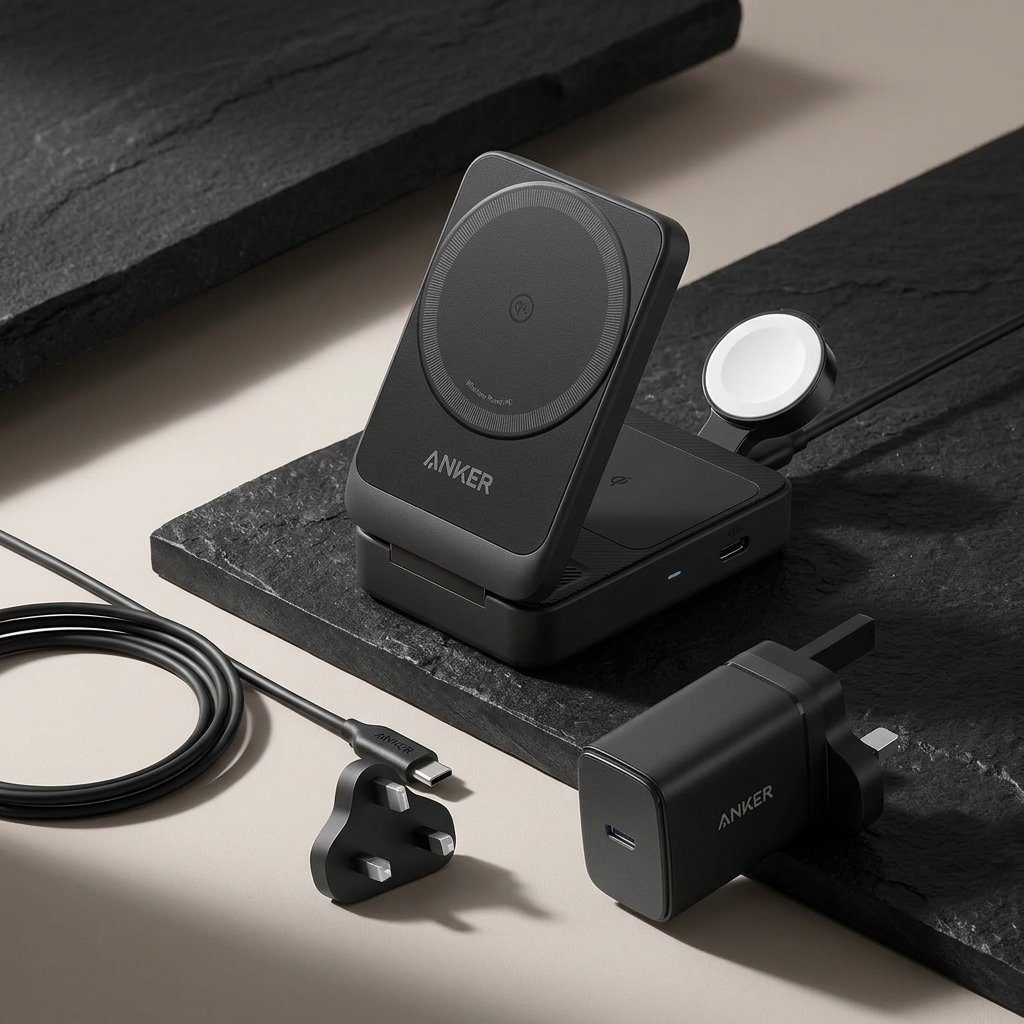
Wireless charging has moved from a nice extra to the default way most people top up their phones. A good wireless charger means no more fumbling for a cable in the dark, less wear on your phone’s charging port, and a tidy spot where your phone always lands at the end of the day. But not all wireless chargers are equal. A cheap pad can charge at half the speed you expect, refuse to work through your case, or quietly heat up your battery. This guide explains how to choose a wireless charger that actually fits your phone, your desk, and your daily routine.
The quick answer: buy a Qi2-certified magnetic charger that matches your phone. 15W is enough for iPhone 12 through 15 and most Android phones, while iPhone 16 and later benefit from a 25W Qi2.2 or MagSafe charger paired with a 30W or stronger USB-C adapter. Pick a 3-in-1 station if you also charge a watch and earbuds, a stand if you want to see notifications while charging, and a magnetic power bank if you need power on the go.
How to Choose a Wireless Charger by Charging Standard
The single most important choice is the charging standard, because it decides your top speed and whether your phone snaps into place or slides around. There are four names you will see on listings, and they are not interchangeable.
- Qi (the original standard): the oldest wireless charging standard. It has no magnets, so alignment is fiddly, and power tops out around 7.5W on iPhones and about 10W on many Android phones. It works, but it is the slowest option.
- MagSafe: Apple’s magnetic charging system for iPhone 12 and later. Magnets align the phone precisely with the coil, delivering 15W on iPhone 12 through 15 and up to 25W on iPhone 16 and later when paired with a 30W or stronger adapter. It is Apple-only, so an Android phone gets no magnetic benefit from it.
- Qi2: the Wireless Power Consortium’s open standard, released in January 2023. It uses a Magnetic Power Profile that brings MagSafe-style magnetic alignment to every brand, at a consistent 15W. For iPhone users, a Qi2 charger delivers the same 15W as a genuine MagSafe charger.
- Qi2.2 (sold as “Qi2 25W”): the newer tier, announced in July 2025. It raises the maximum to 25W on supported phones and chargers, with improved thermal management. Only newer phones benefit — an iPhone 12 through 15 still caps at 15W on a 25W charger.
For most buyers in 2026, the right move is a Qi2 charger. It covers iPhone and Android with one purchase, and it will not be outdated the moment you switch phone brands. Buy Qi2.2 only if you own an iPhone 16 or later, or another phone that supports the 25W profile — otherwise you are paying for speed your phone cannot use.
One more thing to check: certification. Look for Wireless Power Consortium Qi2 certification or Apple MagSafe certification on the listing. Uncertified “magnetic” chargers may still attach to your phone but charge at only about 7.5W, which makes for very long charging times.
What About Android Phones?
Android support is catching up but uneven. The Google Pixel 10 series has built-in magnets, so it snaps onto Qi2 chargers directly. Samsung’s Galaxy S25 series is “Qi2 Ready,” which means it supports Qi2 charging electronics but has no built-in magnets — you need a magnetic case to get the snap-on alignment. Before buying, check whether your specific Android model has built-in magnets, is Qi2 Ready, or only supports basic Qi.
How to Choose a Wireless Charger by Speed
Wattage is the number every listing shouts about, but it is only half the story. The advertised wattage is a peak capability, not a promise of a sustained rate. Wireless charging constantly adjusts for battery state, alignment, and heat, so a 25W charger does not deliver 25W from empty to full.
Your phone sets the ceiling. An iPhone 12 through 15 charges wirelessly at a maximum of 15W, no matter what the charger claims. An iPhone 16 or later can reach 25W, but only with a Qi2.2 or current MagSafe charger and a 30W or stronger USB-C adapter. Many Android phones top out at 15W wirelessly as well, so check your phone’s spec sheet before paying extra for a faster charger.
The power adapter matters as much as the charger itself. To reach 25W, you need a 30W or stronger USB-C adapter, and many wireless chargers ship without one in the box. A low-wattage brick will cap the speed well below the advertised figure. Three-in-one stations usually include a 35W to 45W adapter, because they power three devices at once — that is one of their hidden advantages.
In real-world terms, 15W wireless charging is roughly comparable to a basic 15W to 20W wired charger. That is plenty for overnight charging, where speed barely matters, and fine for topping up during the workday. For a quick top-up before heading out, a cable is still faster. If you mostly charge overnight, do not overpay for 25W — put the money toward a better form factor or a second charging spot instead. If you also need a wired fast charger for travel, see our guide on how to choose a USB charger.
Pick the Right Form Factor
Wireless chargers come in five shapes, and the best one depends on where and how you charge.
- Flat pad: the cheapest and most portable option. Great for a nightstand, where you just set the phone down in the dark. The downside is that you cannot see the screen while it charges.
- Stand: holds your phone upright, so you can check notifications, take video calls, and use Face ID while charging. Best for a desk. It takes up more space than a pad.
- 3-in-1 station: charges your phone, smartwatch, and earbuds from a single spot and a single wall outlet. Ideal for a nightstand or desk if you own all three devices. Check that the watch puck matches your watch — Apple Watch fast charging needs the right puck.
- Magnetic power bank: snaps onto the back of your phone and charges it on the go, with no cable and no flat surface needed. A 5,000mAh bank holds roughly one full phone charge. It adds weight and thickness while attached, so it suits travel and commutes more than all-day carry.
- Car mount charger: combines a magnetic mount and a charger in one, so your phone charges while you navigate. Make sure it includes a car adapter with enough wattage, or the mount will charge slower than the listing promises.
If you can only buy one, a 3-in-1 station is the best value for a nightstand, and a stand is the best value for a desk. If you travel often, add a magnetic power bank as a second charger rather than trying to make one charger do everything. For bigger backup power on trips, see our guide on how to choose a power bank.
Check Case Compatibility and Cooling Before You Buy
Two practical details cause most wireless charging frustration: the case and the heat.
Magnets need a clear path to your phone. Thick cases over about 3mm, metal plates, ring holders, and pop sockets can weaken the magnetic hold or block charging entirely. MagSafe-compatible and Qi2-compatible cases are the safe bet — they have a built-in magnet ring that lines up with the charger. If your case is not magnetic, you can add a stick-on magnetic ring, or simply swap to a magnetic case. Test the hold before you commit: the phone should snap on firmly and stay put when you lift the charger.
Heat is the other issue. Wireless charging generates more heat than wired charging, and heat slows charging down and wears the battery over time. Look for chargers with ventilation slots or a built-in fan, and keep in mind that a fan can hum — a real consideration if the charger sits on your nightstand. Always charge on a hard, flat surface. Soft surfaces like a bed or sofa trap heat, and a wallet case full of cards can heat up or demagnetize the cards, so take the cards out or use a different case while charging.
What to Avoid When Buying a Wireless Charger
- Uncertified no-name chargers claiming “MagSafe” or “Qi2” without Wireless Power Consortium or Apple certification. The logo alone does not guarantee the speed.
- Chargers sold without an adapter when the advertised speed requires one. A 25W charger with a 5W brick is a 5W charger in practice.
- Single-coil pads for multi-device setups. A phone, watch, and earbuds each need their own coil or charging spot — one pad cannot charge all three at once.
- “Universal” claims that ignore your phone model. Check the manufacturer’s compatibility list for your exact phone before ordering.
- Paying for 25W your phone cannot use, or settling for 7.5W when your phone supports 15W. Match the charger to your phone’s actual ceiling.
Our Picks

- Anker MagGo 3-in-1 Charging Station — a Qi2 15W foldable dock that charges an iPhone, Apple Watch, and AirPods from one spot, and folds flat for travel.
- Anker 622 Magnetic Battery — a foldable magnetic power bank that snaps onto your phone for wireless top-ups on the go and doubles as a kickstand.
Frequently Asked Questions
Will a wireless charger work through my phone case?
Yes, if the case is thin — under about 3mm — and made of plastic, silicone, or leather without metal. MagSafe-compatible and Qi2-compatible cases work best because their built-in magnet ring keeps the phone aligned. Thick, metal, or ring-holder cases can block charging, so test your case or switch to a magnetic one.
Is wireless charging slower than wired charging?
Generally, yes. A 15W wireless charger is roughly comparable to a basic wired charger, and wireless charging loses some energy as heat. For overnight charging the difference does not matter, but for a fast top-up before leaving the house, a cable is still quicker.
Do I need a special adapter for a wireless charger?
Often, yes. To reach 25W you need a 30W or stronger USB-C adapter, and many wireless chargers do not include one in the box. Three-in-one stations usually include a 35W to 45W adapter because they power three devices at once. Check what is in the box before you buy, and check what adapters you already own.
Can Android phones use MagSafe chargers?
A MagSafe charger works as a basic Qi charger on an Android phone, at lower speeds and without magnetic alignment. For the full magnetic snap-on experience on Android, choose a Qi2 charger instead. The Google Pixel 10 series has built-in magnets, while Samsung Galaxy S25 phones are “Qi2 Ready” and need a magnetic case.
As an Amazon Associate I earn from qualifying purchases.